Imagine a chiropractic clinic in Wichita, Kansas, launching a new website with detailed treatment pages, helpful patient resources, and convenient appointment booking.
The website looks professional. Every page has been carefully written, and the clinic has invested in SEO-friendly content.
But after several weeks, something is wrong.
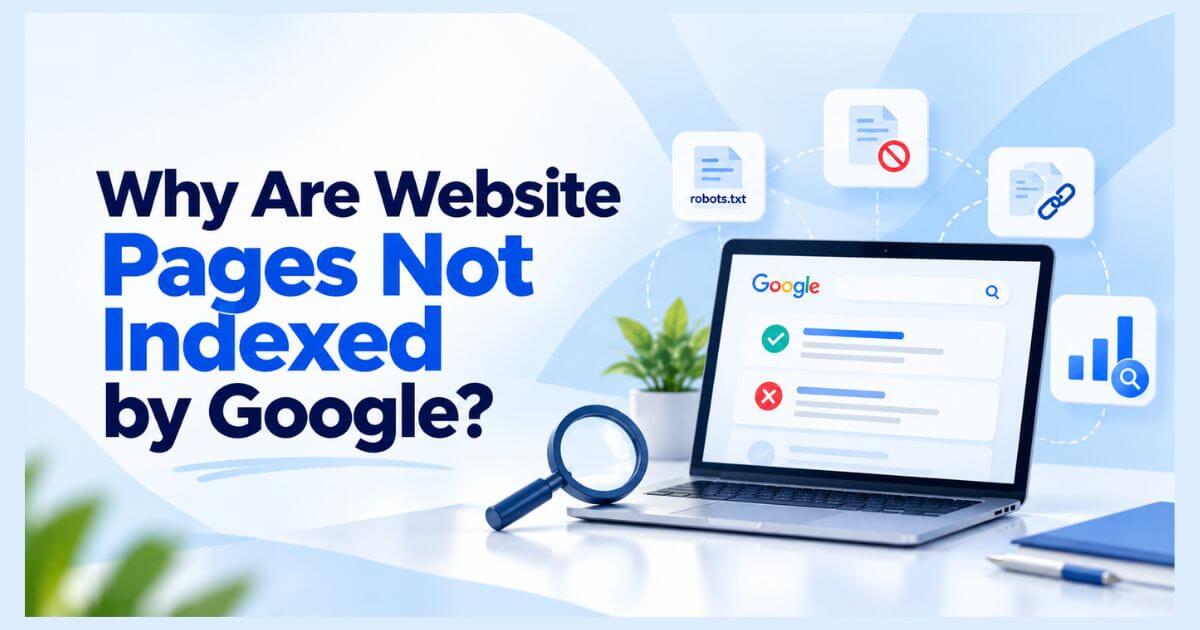
Important service pages are missing from Google’s search index. Potential patients cannot easily discover those pages through organic search, even though the content is published and accessible to visitors.
The problem may involve indexing restrictions, duplicate URLs, technical errors, or Google’s evaluation of the content.
This hypothetical situation highlights a common challenge for small businesses.
Website pages may not be indexed by Google because they haven’t been crawled, contain noindex directives, have technical accessibility problems, send conflicting canonical signals, or don’t provide sufficient unique value.
Understanding the exact cause is the first step toward fixing it.
In this guide, you’ll discover why website pages are not indexed by Google, how to diagnose indexing problems using Google Search Console, and which Technical SEO fixes can improve your website’s indexing eligibility.
What Does “Not Indexed by Google” Actually Mean?
Google indexing is the process of analyzing web content and storing information in Google’s search index.
Before Google can normally include a page in organic search results, it must discover, crawl, and evaluate the content.
The process generally involves three stages:
- Discovery: Google identifies a URL through links, sitemaps, or other sources.
- Crawling: Googlebot requests the page and retrieves accessible content.
- Indexing: Google processes the information and determines whether to include it in its index.
A page that is successfully crawled is not automatically indexed.
Likewise, an indexed page does not necessarily rank for a particular keyword.
Google’s technical requirements explain that meeting basic eligibility conditions does not guarantee indexing.
For a Kansas chiropractor, this distinction matters because an important treatment page may be accessible to patients but still excluded from Google’s index.
How to Identify Google Indexing Problems Using Search Console
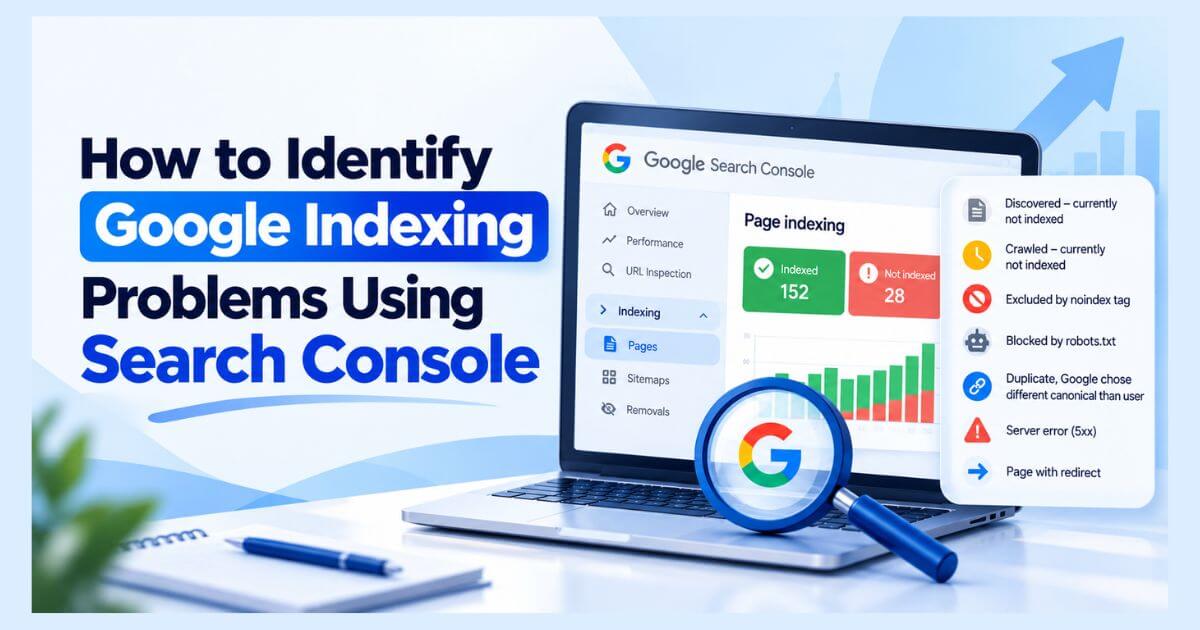
Before making changes, investigate the affected URLs through Google Search Console.
Follow these steps:
- Open your verified Search Console property.
- Navigate to Indexing → Pages.
- Review the indexed and not-indexed page groups.
- Select a relevant exclusion reason.
- Inspect the affected URL using URL Inspection.
- Compare Google’s indexed information with the current live page.
Pay attention to whether crawling is allowed, indexing restrictions exist, and Google has selected a different canonical URL.
Understand These Critical Indexing Statuses
| Google Search Console Status | What It Usually Indicates |
| Discovered – currently not indexed | Google knows the URL but hasn’t crawled it yet |
| Crawled – currently not indexed | Google crawled the page but hasn’t indexed it |
| Excluded by noindex tag | An indexing directive prevents inclusion |
| Blocked by robots.txt | Crawling is restricted |
| Duplicate, Google chose different canonical than user | Google selected another representative URL |
| Server error (5xx) | Google encountered a server-side problem |
| Page with redirect | The URL redirects elsewhere |
Important: Not every excluded page is a technical error. Redirected URLs, intentional duplicates, and certain private pages may correctly remain outside the index.
The goal is to identify important pages that should be indexed but aren’t.
9 Common Reasons Website Pages Are Not Indexed by Google
1. Newly Published Pages Haven’t Been Crawled Yet
Google doesn’t instantly discover and index every new webpage.
A newly published page may receive the status:
Discovered – currently not indexed
This means Google knows the URL exists but hasn’t crawled it yet.
For example, a Kansas chiropractic clinic might publish a new service page and include it in its XML sitemap. Google may discover the URL without immediately crawling it.
How to fix it:
- Ensure the page is accessible through internal links.
- Include the canonical URL in your XML sitemap.
- Check server availability and robots.txt restrictions.
- Request indexing through URL Inspection when appropriate.
- Allow time for Google to process the page.
Repeated indexing requests do not guarantee faster crawling.
2. Google Crawled the Page but Didn’t Index It
The status Crawled – currently not indexed means Google has retrieved the page but hasn’t included it in the index.
There isn’t always one identifiable technical error.
Google may evaluate the page’s usefulness, uniqueness, relevance, or other indexing signals before deciding whether to include it.
For a Kansas chiropractor, several nearly identical treatment pages with minimal unique information may not offer enough distinct value.
How to fix it:
- Review whether the page satisfies a clear search intent.
- Improve original, helpful, and specific information.
- Remove unnecessary content duplication.
- Add relevant internal links.
- Ensure important information is accessible in rendered HTML.
Avoid changing content randomly or repeatedly submitting unchanged URLs.
Focus on making the page genuinely useful.
3. An Accidental Noindex Directive Blocks Google
A noindex directive instructs supporting search engines not to index a page.
It may appear in an HTML robots meta tag or an HTTP response header.
For example:
<meta name=”robots” content=”noindex”>
On WordPress websites, indexing directives can be affected by SEO plugin settings, site configuration, or changes made during development.
A Kansas chiropractic website might accidentally retain a noindex setting after moving from staging to production.
How to fix it:
- Inspect the page’s HTML and HTTP headers.
- Check relevant WordPress and SEO plugin settings.
- Remove unintended noindex directives.
- Ensure Googlebot can access the page.
- Use Search Console to validate the correction.
Do not remove noindex from pages intentionally excluded from search.
4. Robots.txt Restrictions Prevent Proper Crawling
A robots.txt file communicates crawling restrictions to compliant search engine bots.
Incorrect rules can stop Googlebot from retrieving important content.
For instance, a rule blocking an entire service directory could affect a Kansas chiropractic website’s discovery and processing.
How to fix it:
- Open your website’s /robots.txt file.
- Review applicable Googlebot rules.
- Identify accidental restrictions.
- Remove or adjust incorrect rules.
- Test affected pages using Search Console.
Critical distinction: Robots.txt controls crawling, not guaranteed deindexing. A blocked URL may still appear in search based on information from other pages.
Google must be able to access a page to process its noindex directive.
5. Duplicate Content and Canonical Conflicts Confuse URL Selection
Google often identifies multiple URLs containing duplicate or substantially similar information.
It then selects a representative canonical URL.
For example, a Kansas chiropractor’s website might expose substantially identical service content through two URL variations.
Google may index one version instead of the other.
How to fix it:
- Identify duplicate or near-duplicate URLs.
- Inspect user-declared and Google-selected canonicals.
- Use appropriate canonical tags.
- Link internally to preferred URLs.
- Keep XML sitemap entries consistent.
- Consolidate unnecessary duplicate pages when suitable.
A canonical tag is a signal, not a command guaranteeing Google’s selection.
For more complex canonicalization problems, a dedicated URL-level investigation may be necessary.
6. HTTP Errors Prevent Google From Accessing Pages
Search engines need reliable access to website content.
Persistent technical errors can prevent normal crawling and indexing.
Common examples include:
| HTTP Status | Possible Problem |
| 403 | Access forbidden |
| 404 | Requested page not found |
| 500 | Internal server error |
| 503 | Service unavailable |
Imagine a Kansas chiropractic appointment page returning a persistent server error.
Even if that page was previously indexed, ongoing accessibility problems may affect its availability in search.
How to fix it:
- Test the affected URL’s HTTP response.
- Investigate server or application errors.
- Check firewall and access restrictions.
- Restore important missing pages where appropriate.
- Verify that intended live pages return successful responses.
Not all 404 responses require correction. Permanently removed pages without suitable replacements may correctly return 404 or 410.
7. Weak Internal Linking Makes Important Pages Hard to Discover
A published page may not be connected effectively to the rest of the website.
Pages without discoverable internal links are often described as orphan pages.
For a Kansas chiropractic clinic, an important treatment page might exist in WordPress but be absent from the main navigation and related service content.
This can make discovery more difficult.
How to fix it:
- Link important pages from relevant service categories.
- Include useful links within related articles.
- Use descriptive anchor text.
- Add intended canonical URLs to XML sitemaps.
- Check for broken internal links.
A logical structure might be:
Chiropractic Clinic → Chiropractic Services → Treatment Information → Appointment Page
This relationship improves navigation and helps communicate the connection between the clinic’s services and supporting content.
8. JavaScript Rendering Problems Hide Essential Content
Some websites rely heavily on JavaScript to display important information.
Google can render JavaScript, but technical implementation problems may prevent it from accessing expected content.
For a Kansas chiropractic website, a treatment description generated entirely through a malfunctioning script may be unavailable in the rendered version Google receives.
How to fix it:
- Inspect the page using URL Inspection.
- Compare source HTML with rendered content.
- Identify blocked resources or JavaScript errors.
- Make essential content reliably accessible.
- Retest the rendered page after corrections.
Accessible content benefits traditional Technical SEO and also supports broader AI Search Optimization efforts.
9. Website Redesigns and Incorrect Redirects Change Indexing Behavior
Website redesigns can introduce unintended URL changes.
A previously indexed chiropractic service page may be moved, redirected incorrectly, or removed during a redesign.
Google might continue discovering the old URL while the intended replacement remains difficult to access.
How to fix it:
- Compare old and new URL inventories.
- Confirm permanent redirects point to relevant replacements.
- Update internal links and XML sitemaps.
- Review canonical URLs after migration.
- Remove accidental staging restrictions.
- Inspect important new URLs in Search Console.
If many pages disappear unexpectedly, also review Search Console’s Manual Actions and Security Issues reports.
How to Fix Google Indexing Problems Step by Step
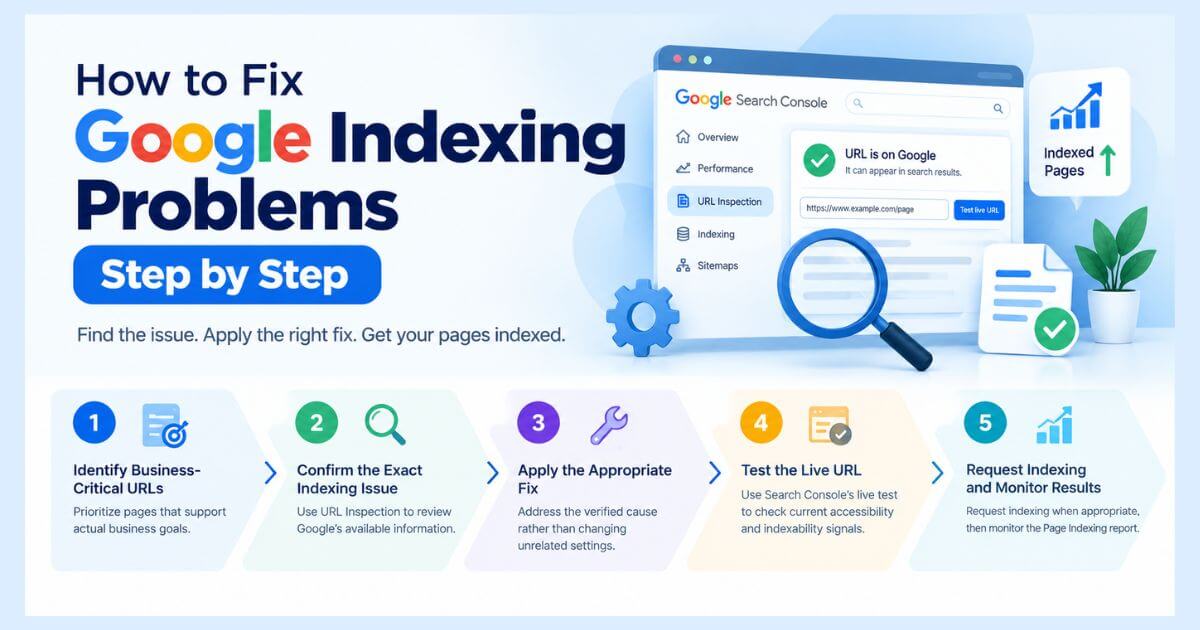
Once you’ve identified a likely cause, follow a structured recovery process.
Step 1: Identify Business-Critical URLs
Prioritize pages that support actual business goals.
For a Kansas chiropractic clinic, treatment information, service pages, and appointment-related content may deserve early attention.
Step 2: Confirm the Exact Indexing Issue
Use URL Inspection to review Google’s available indexing information.
Determine whether the problem involves access, indexing directives, canonical selection, or content.
Step 3: Apply the Appropriate Fix
Address the verified cause rather than modifying unrelated SEO settings.
Step 4: Test the Live URL
Use Search Console’s live test to check current accessibility and indexability signals.
A successful live test doesn’t guarantee indexing.
Step 5: Request Indexing and Monitor Results
Request indexing when appropriate, then monitor the Page Indexing report.
Google explains that crawling may take days to weeks and that submitting a request doesn’t guarantee inclusion.
Track whether important pages move into the index rather than repeatedly requesting indexing.
How Technical SEO and AI Search Optimization Work Together
Technical SEO and AI Search Optimization share an important foundation: search systems need access to useful information.
For a Kansas chiropractic website, relevant entities may include:
Chiropractic Clinic → Licensed Chiropractor → Services → Kansas Location → Patient Information
Clear relationships, accessible service pages, accurate business information, and relevant internal links help organize these entities.
However, schema markup alone cannot force Google to index a page.
According to Google’s AI search guidance, established SEO practices remain relevant for AI Overviews and AI Mode. There are no special optimization requirements that guarantee inclusion.
Nurul Rovan, an SEO Consultant and AI Search Optimization Specialist, emphasizes technical accessibility, consistent business information, and research-driven optimization as parts of a sustainable search strategy.
Explore AI Search Optimization services for Kansas businesses for more information about this approach.
Essential Google Indexing Troubleshooting Checklist
Before requesting indexing, verify:
- The correct URL has been inspected in Google Search Console.
- Important pages are publicly accessible.
- Unintended noindex directives are removed.
- Googlebot isn’t accidentally blocked.
- Important pages return appropriate HTTP responses.
- Canonical URLs are correctly configured.
- XML sitemaps contain intended canonical URLs.
- Important pages have useful internal links.
- Essential content is accessible after rendering.
- Redirects point to the appropriate final destinations.
- Google Search Console is monitored after changes.
Final Thoughts: Fix the Cause, Not Just the Indexing Status
When important website pages aren’t indexed, the solution isn’t always publishing more content or repeatedly requesting indexing.
Sometimes the issue is technical. Other times, Google hasn’t crawled the page, has selected another canonical URL, or hasn’t determined that the content should be indexed.
For Kansas chiropractors and other small businesses, effective indexing optimization begins with understanding which pages matter and why Google isn’t including them.
A successful indexing strategy combines Technical SEO, helpful content, clear website architecture, accurate entity information, and continuous monitoring.
Need Professional Help Fixing Google Indexing Problems?
Indexing problems can become difficult to diagnose when multiple technical issues affect the same website.
Nurul Rovan provides research-driven Technical SEO consulting focused on identifying crawling, indexing, canonicalization, and website accessibility issues for businesses targeting Kansas markets.
Instead of relying on random SEO fixes, the approach focuses on understanding the root cause and prioritizing meaningful improvements.
Ready to investigate why your important pages aren’t appearing in Google?
Explore Technical SEO Expert Kansas — Nurul Rovan to learn more about technical audits and indexing optimization services.
You can also learn more about Nurul Rovan and his approach to practical SEO.
Frequently Asked Questions About Google Indexing Problems
Why is Google not indexing my website pages?
Common reasons include delayed crawling, accidental noindex directives, crawling restrictions, server errors, duplicate URLs, canonical conflicts, and content that Google has not selected for indexing. Use Search Console to identify the specific issue.
How long does Google take to index a page?
There is no fixed timeframe. Crawling and indexing can take days to weeks or longer depending on the page and website. Indexing is not guaranteed.
What does “Crawled – currently not indexed” mean?
Google has crawled the URL but hasn’t included it in the index. Review the page’s usefulness, uniqueness, indexing signals, and internal linking. There may not be a single technical error to fix.
Can a sitemap force Google to index pages?
No. An XML sitemap helps Google discover URLs, but submitting one doesn’t guarantee crawling, indexing, or rankings.
Can Technical SEO improve AI Overview visibility?
Technical SEO helps make important content accessible to Google Search systems, including those supporting AI features. However, appearing in AI Overviews is not guaranteed.
