Imagine a chiropractic clinic in Wichita, Kansas, with a professionally designed website, informative service pages, and an online appointment system.
The clinic publishes helpful content and invests in Technical SEO. However, Google sometimes displays an unexpected URL instead of the preferred service page.
The website owner discovers that several URLs contain nearly identical content. Some have tracking parameters, while others use different URL structures or incorrect canonical tags.
Which version should Google show?
This is where canonicalization becomes important.
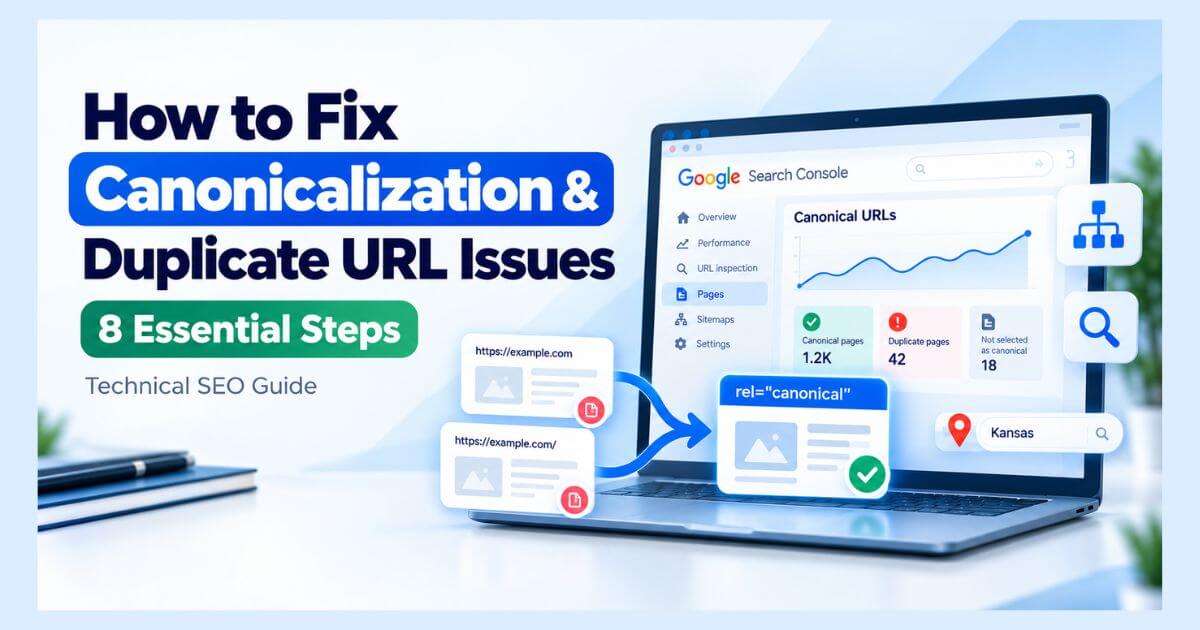
To fix canonicalization and duplicate URL issues, identify duplicate pages, inspect Google’s selected canonical URLs, choose preferred versions, correct canonical tags, and align internal links, redirects, and XML sitemaps.
A structured approach helps Google understand which URL best represents your content.
This guide explains how to diagnose canonicalization problems, fix conflicting signals, and maintain a clearer website structure for Google Search and AI-powered search experiences.
What Is URL Canonicalization in Technical SEO?
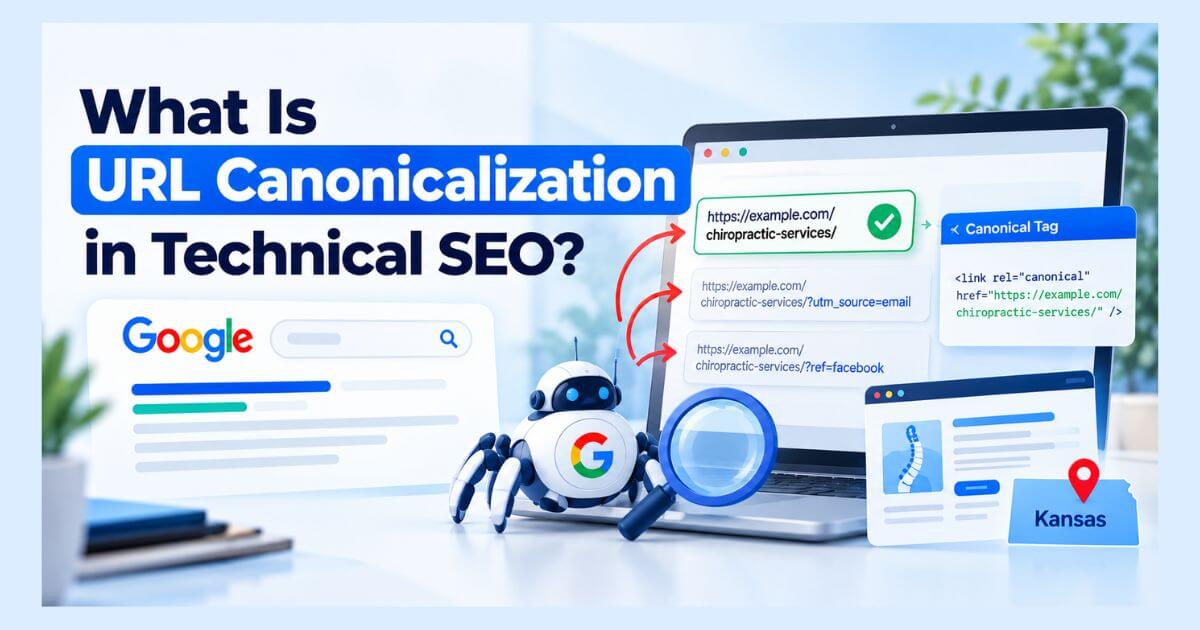
URL canonicalization is the process of selecting a representative URL from multiple pages containing duplicate or substantially similar content.
Google evaluates different signals to identify which version should serve as the canonical URL.
For example, a Kansas chiropractic website might display the same service information at:
- https://example.com/chiropractic-services/
- https://example.com/chiropractic-services/?utm_source=email
Both URLs may show essentially identical content.
The website owner can indicate that the first URL is the preferred canonical version.
Canonicalization helps search engines organize duplicate content and understand which URL should generally represent the page in search results.
Does Duplicate Content Automatically Hurt SEO?
No. Duplicate content is not automatically a violation of Google’s spam policies.
Duplicate URLs may appear naturally because of tracking parameters, website configurations, filtering systems, or content management platforms.
However, unnecessary duplication can complicate URL management, search performance analysis, and canonical selection.
The goal is not to eliminate every duplicate URL. It is to ensure that important pages communicate clear and consistent canonical signals.
Why Do Canonicalization and Duplicate URL Issues Occur?
Several website configurations can create duplicate or competing URL versions.
| Common Cause | Example Problem |
| URL parameters | Tracking URLs displaying identical content |
| HTTP and HTTPS | Multiple accessible versions of one page |
| WWW variations | Different hostname versions |
| Trailing slashes | Two URL formats serving the same content |
| CMS configuration | Incorrect or conflicting canonical tags |
| Duplicate service pages | Substantially similar content across different URLs |
| Staging websites | Development copies accessible to search engines |
For Kansas chiropractors, duplicate service descriptions or incorrectly configured WordPress pages may create unexpected canonical relationships.
The following steps explain how to investigate these situations.
Step 1: Identify Duplicate URLs With a Comprehensive Website Review
Start by identifying URLs that display the same or substantially similar content.
Use tools such as:
- Google Search Console
- Screaming Frog SEO Spider
- Your XML sitemap
- Website CMS reports
Run a website crawl and review canonical declarations, page titles, duplicate content indicators, and URL variations.
Look for pages that differ only through tracking parameters, protocol variations, or other unnecessary URL changes.
Create a Duplicate URL Inventory
Record:
- Duplicate or similar URLs
- Current canonical declarations
- HTTP response codes
- Important internal links
- Intended preferred URLs
For a Kansas chiropractic clinic, prioritize genuine service and appointment pages.
Action: Group duplicate URLs according to the content they represent rather than making changes to individual URLs without understanding their relationships.
Step 2: Discover Google-Selected Canonicals in Search Console
Google may select a different canonical URL from the one specified by a website owner.
To investigate:
- Open Google Search Console.
- Select the correct website property.
- Enter an affected URL into URL Inspection.
- Review the Page indexing information.
- Compare User-declared canonical with Google-selected canonical.
Two relevant indexing statuses include:
Alternate page with proper canonical tag: Google recognizes the page as an alternate version and has selected a canonical.
Duplicate, Google chose different canonical than user: Google selected another representative URL instead of your declared preference.
Neither status automatically means something is broken.
If Google selects an unexpected page, compare the content and technical signals before changing anything.
Action: Identify genuine canonical conflicts affecting important pages.
Step 3: Choose the Correct Canonical URL for Each Duplicate Group
Every duplicate group should have a clear preferred representative URL.
Choose a page that:
- Contains the intended primary content
- Uses the preferred HTTPS hostname
- Serves an accessible, stable URL
- Matches the business’s content objectives
- Is suitable for indexing
For a Kansas chiropractic website, the main chiropractic services page may serve as the canonical for its identical tracking-parameter variations.
However, genuinely different treatment pages should usually retain their own canonical identities.
Understand Google’s Canonical Signals
Google considers several signals:
| Canonical Signal | Relative Strength |
| Permanent redirects | Strong |
| rel=”canonical” annotations | Strong |
| XML sitemap inclusion | Weak |
These signals can reinforce one another, but they do not guarantee a particular canonical selection.
Action: Select the preferred URL based on content relevance and user experience, then document that decision.
Step 4: Fix Incorrect Canonical Tags in Your Website’s HTML
A canonical link element communicates the preferred representative URL.
For example:
<link rel=”canonical” href=”https://example.com/chiropractic-services/” />
Place this element within the HTML <head> section.
Google recommends using absolute URLs and adding a self-referencing canonical on the preferred page.
Check for Critical Canonical Tag Errors
Common problems include:
- Multiple conflicting canonical declarations
- Canonicals pointing to unrelated pages
- Incorrect HTTP or HTTPS versions
- Canonical links outside the HTML head
- Canonicals changed unexpectedly by JavaScript
- Canonical URLs pointing to unavailable pages
For WordPress websites, review SEO plugin settings and theme output when conflicting tags appear.
Action: Ensure the page communicates one consistent canonical preference through its relevant technical signals.
Step 5: Verify Canonical Targets and Resolve Conflicting Indexing Signals
A correctly formatted canonical tag is not enough if its destination is inappropriate.
Review whether the preferred URL:
- Returns a successful HTTP response
- Contains the expected representative content
- Is accessible to Googlebot
- Does not unintentionally contain noindex
- Is not an unrelated or missing page
For example, a Kansas chiropractor’s service page should not declare an unrelated homepage as canonical simply because both pages belong to the same business.
Avoid Using Robots.txt or Noindex as Canonical Fixes
Robots.txt primarily manages crawling.
A noindex directive prevents a page from being indexed when Google can access and process it.
Neither is the recommended substitute for canonicalization between duplicate pages.
Google recommends using appropriate canonical signals instead of noindex to influence canonical selection within a website.
Action: Resolve conflicting instructions without accidentally excluding valuable pages.
Step 6: Align Canonical URLs With Redirects, Internal Links, and Sitemaps
Canonical signals should be consistent throughout the website.
Review three important areas.
Redirects
Use appropriate permanent redirects when duplicate URLs are being retired and a relevant replacement exists.
For example, older HTTP versions may redirect to the preferred HTTPS destination.
Avoid unnecessary redirection of URLs that legitimately need to remain accessible.
Internal Links
Update navigation and contextual links to point directly to preferred canonical URLs.
A Kansas chiropractic clinic should consistently link to its intended treatment and service pages.
XML Sitemaps
Include preferred canonical URLs in XML sitemaps rather than unnecessary duplicate variations.
Action: Align redirects, internal links, and sitemap references with your preferred URL structure.
For detailed redirect troubleshooting, keep redirect-chain and redirect-loop analysis within a dedicated Technical SEO guide.
Step 7: Protect Unique Pages From Incorrect Canonical Consolidation
Not every similar page should be consolidated.
This distinction is particularly important for location-based businesses.
Imagine a chiropractic practice that legitimately operates clinics in Wichita and Topeka, Kansas.
Separate location pages may be appropriate when they provide meaningful differences, such as:
- Actual clinic addresses
- Practitioner information
- Location-specific services
- Appointment details
- Relevant contact information
If these pages genuinely serve different customer needs, pointing both canonicals to one location could be inappropriate.
However, creating multiple nearly identical pages merely by changing city names doesn’t automatically provide unique value.
Review Content Differences Before Consolidation
Ask:
- Do these pages represent the same primary content?
- Are they intended for different customer needs?
- Do they provide meaningful unique information?
- Would consolidating them help or confuse visitors?
Action: Preserve useful, distinct pages and consolidate only where the content relationship justifies it.
Step 8: Validate Canonical Fixes and Monitor Google’s URL Selection
After implementing changes, verify that the updated signals are working correctly.
Follow this process:
- Crawl affected URLs again.
- Inspect canonical elements in the HTML.
- Verify canonical targets and response codes.
- Review internal linking consistency.
- Check XML sitemap entries.
- Inspect important URLs in Google Search Console.
- Monitor Google’s canonical selection over time.
Google may need time to recrawl and reevaluate duplicate groups.
Google’s canonicalization troubleshooting guidance notes that reevaluation can take time and that content differences influence how duplicate clusters are reassessed.
Use Search Console’s indexing request feature selectively for important URLs after meaningful corrections.
Action: Maintain a record of corrected URLs, implementation dates, and verification outcomes.
How Do Canonical URLs Support AI Search Optimization?
Canonicalization helps establish clearer representative URLs within a website’s technical structure.
For Kansas chiropractic websites, relevant entities may include:
Chiropractic Practice → Chiropractor → Services → Kansas Location → Website Content
Consistent URLs, accurate structured information, and accessible content support clearer website organization.
Technical SEO also provides a foundation for AI Search Optimization by helping search systems access and interpret relevant content.
However, canonical tags do not directly guarantee AI Overview citations.
Google’s AI search guidance emphasizes established SEO fundamentals rather than special AI-only canonicalization techniques.
Nurul Rovan, an SEO Consultant and AI Search Optimization Specialist, focuses on combining technical website analysis with clear content and business information.
Learn more about AI Search Optimization for Kansas businesses.
Essential Canonicalization and Duplicate URL Checklist
Before completing your review, confirm:
- Duplicate URL groups have been identified.
- Preferred canonical URLs are clearly defined.
- Google-selected canonicals have been reviewed.
- Canonical tags use appropriate destinations.
- Conflicting canonical declarations are corrected.
- Preferred URLs are accessible and indexable.
- Retired duplicate URLs have appropriate redirects.
- Internal links use preferred URLs.
- XML sitemaps contain intended canonical pages.
- Genuinely unique pages remain distinct.
- Updated signals have been tested and monitored.
Frequently Asked Questions About Canonicalization Issues
What causes canonicalization issues in SEO?
Common causes include duplicate URLs, inconsistent canonical tags, tracking parameters, CMS configuration problems, conflicting redirects, and substantially similar content across multiple pages.
How do I fix “Google chose different canonical than user”?
Inspect the affected URL in Google Search Console. Compare Google’s selected canonical with your preferred version, review content similarity, and verify canonical tags, internal links, redirects, and sitemap signals. Make changes only when the selected URL is genuinely inappropriate.
Can duplicate URLs hurt Google rankings?
Duplicate URLs do not automatically cause a ranking penalty. However, unnecessary duplication can complicate crawling, URL management, search reporting, and canonical selection.
Should every website page have a self-referencing canonical?
A self-referencing canonical is generally recommended for preferred canonical pages. However, alternate URLs and special page relationships may require different implementations.
Can canonical tags fix Google indexing problems?
Canonical tags help Google identify representative URLs within duplicate groups. They cannot fix every indexing issue or guarantee that a page will appear in search results.
Does canonicalization improve AI Overview visibility?
Canonicalization supports consistent URL representation and website organization. It does not guarantee visibility or citations in Google AI Overviews.
Final Thoughts: Fix Duplicate URL Conflicts With Clear Canonical Signals
Canonicalization problems can make it harder to manage website URLs and understand how Google selects representative pages.
The solution is not to remove every duplicate URL or automatically canonicalize similar content.
Instead, identify duplicate groups, choose appropriate representative URLs, correct conflicting signals, and validate Google’s response.
For Kansas chiropractors and other small businesses, a well-managed canonical structure supports a more reliable Technical SEO foundation.
Need Expert Help Fixing Canonicalization Issues?
Incorrect canonical tags and duplicate URL configurations can be difficult to diagnose, particularly when WordPress plugins, website migrations, or overlapping service pages are involved.
Nurul Rovan provides research-driven Technical SEO consulting focused on canonicalization, website structure, crawling, indexing, and search accessibility for businesses targeting Kansas markets.
His approach emphasizes identifying root causes and recommending improvements based on technical evidence and business priorities.
Ready to resolve conflicting canonical URLs on your website?
Explore Technical SEO Expert Kansas — Nurul Rovan to learn more about website audits and technical optimization services.
You can also learn more about Nurul Rovan and his approach to Technical SEO and AI Search Optimization.
